Select your shift and name, then enter your passcode
--
—
—
Acting as shift:
Approvals
Cleaning entries held at zero points — each duplicates an already-logged clean for the same room, frequency, and completed date. Approve to award the points; deny to leave it logged at zero.
Extend the early window
Change your passcode
Enter your current 6-digit passcode, then choose a new one. Forgot your passcode? A supervisor or admin can reset it for you.
—
—
changeover elapsed
00:00
BEST CHANGEOVER YTD--:--
Line job — no batch board
Hold / TOR timers
Thaw checks
Manufacturing tasks
Pacing
Purple Hiker = Where the work actually is · Gray Pacer = Where it should be right now · Gold Flag = This shift's goal (position at shift start + 12h standard pacing) · proj. time markers = forecast at standard pace from the current position · refreshes every 1 minute.
complete due flagged (click to read the note) not yet reached not neededClick any task to change its status
Scoreboard — points earned this batch, by shift
—
—
complete due — click to completeClick a completed page to undo it⚑ flagged — needs correcting before that shift leaves
Scoreboard — points earned this batch, by shift
—
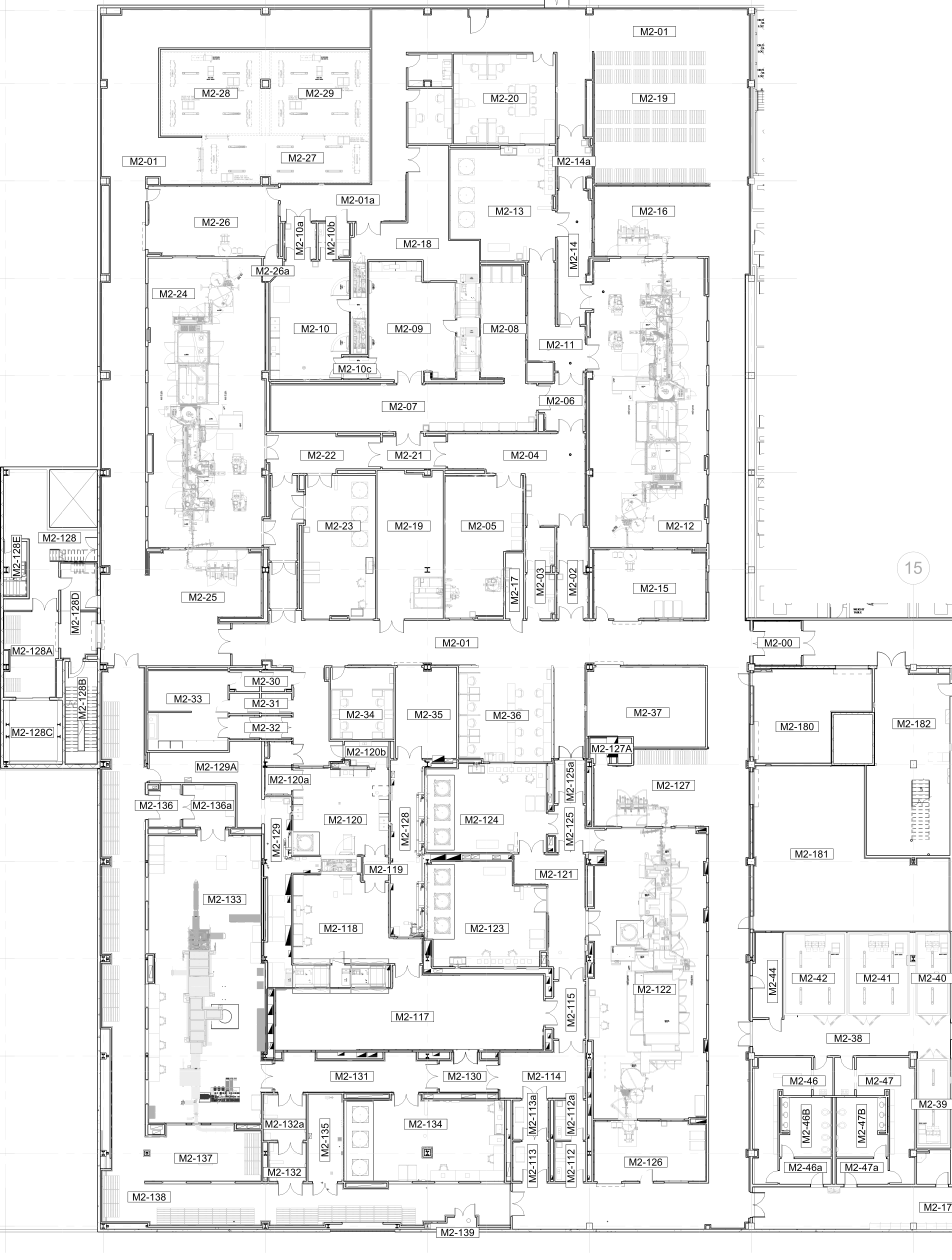
Click the floor plan to place corners for the selected room, in order around its boundary. Needs at least 3 points before saving.
green — not yet due yellow — coming due red — due / overdue flashing red — significantly overdue orange — special cleaning required unknown — never logged
Shift
Individual
Recent awards
Shift Pass Down
—
Messages
Shown on every pass down for acknowledgement until the expiry date, or until whoever holds the pull permission removes it.
Tasks
Anything not completed keeps passing to the next shift.
Ready to Execute
—
✓ Ready good; ready to execute● In progress needs action, owner & due date⚠ Escalate clear escalation required— N/A not applicablenot assessed nothing recorded yet
Start
Line
Activity
RTE
Documentation
Materials
Equipment
People
Set Plan
Planned activities to complete per line per day. Feeds the T3 Delivery burn-up chart.
Floor Watch
Downtime incidents and their investigations. Click a row to open or continue an investigation.
Open
0
awaiting investigation
In progress
0
root cause identified
Closed
0
investigation complete
Downtime logged
0h
across all incidents
Root cause distribution
Downtime minutes by line
Showing archived (deleted) incidents. They're excluded from the counts and charts above, and are read-only until restored.
Report an incident
Capture what happened. The assigned supervisor completes the investigation.
Incident details
ABCD
Incident
Media Fill
Intervention tracker for media fill runs — plan, dual-approve, then track reps and Quality sign-offs live.
Fill
Media Fill library
Per-line intervention libraries and the global challenge presets. Running fills keep the definitions they started with.
Publish this upload now
Confirm with your passcode
Import fill from the playbook tool
Tip: import the line's intervention library CSV first — intervention ids the library doesn't know keep their durations but show the id as their name.
New media fill
Creates the fill in planning — nothing reaches the floor until the plan is approved and started.
Feedback
What the floor is telling us about this app. Click a row to triage it — the note you write goes back to whoever submitted it.
New
0
nobody has looked yet
Under review
0
being worked out
Accepted
0
agreed, not yet delivered
Closed
0
done or declined
Showing archived (deleted) submissions. They're excluded from the counts above, and are read-only until restored.
A3 Problem Solving
Structured problem solving on one page — break the problem down, find the root cause, countermeasure it, and hold the gains. Click a row to open the A3.
Open
0
not yet in progress
In progress
0
being worked
Complete
0
closed out
Overdue actions
0
across all active A3s
Showing archived (deleted) A3s. They're excluded from the counts above, and are read-only until restored.
A3
A3 · The high level
Start a new A3
Give it a title and, if you have it, the first cut of the problem. Everything else is filled in on the A3 itself.
Feedback
Tell us what's broken, what's missing, or what would make this easier. It goes straight to the people who maintain the app.
Something is brokenSuggest an improvementQuestionSomething else
Attached automatically:
Submission
Triage outcomes
The reasons a submission can be closed under, per type. Renaming one keeps it attached to the submissions already triaged under it; those keep the wording they were closed with.
BugEnhancementQuestionOther
Flag this page
Corrections
Attendance
Add person to this shift
Add activity
Create an upcoming activity on the readiness tracker. A batch number makes it available to stage on the Batches tab (coming next).
Cascades onto the batch when it's staged — MFG tasks, documentation forms, parts descriptions & serial numbers, thaw/hold, pacing.
Set status
In progress and Escalate need an action with an owner and due date.
Category
Click a status — each click saves immediately. To attach an action to an item, use the item's own dialog on the board.
Batch Record Corrections
—
Shift
Correction Type
Dept
View
One row per correction — Line, Batch, Name ("Last, First" or a department; may be blank when Dept is filled), Correction Type (BPS/QA — "Function"/"Ops" still accepted), Shift (blank = look up the user's shift), Dept (blank = Operations; anything else — MSAT, EM, … — buckets the row under that department, never as a person). Uploads go live at the next shift change (6am/6pm Eastern) — or immediately, via "Publish waiting upload now"; the outgoing dataset is frozen into the ‹ › history at that moment.
Shift Scorecard
—
—
Tier board
—
Batch history
Batch #
Product
Status
Start
End
Duration
Changeover tasks
Mark manually-tracked steps complete as they happen — steps tracked from the board check off on their own. Admins can also manually progress pacing past a flagged or incomplete step below.
Shift-start baseline
Where the work should have stood at the last 6am/6pm shift change. The gold flag becomes this position plus 12h of standard pacing. The purple hiker is never moved — it always shows where the work actually is. Once real progress catches up with this baseline, the override retires on its own. Audited; a reason is required.
Task
Current status
Choose a photo
Pick one already in the library, or upload a new one. Photos are shared — the same picture can be used by more than one part.
Batch settings
Edit batch details, or clear/close out this batch.
Fill
MFG
This batch's pacing template has been edited since it was applied.
Changing a running changeover start is Manager/Admin only.
Batch settings
Add a form to this batch
Forms on this batch
Other paperwork
Paperwork that exists before its batch does — parts prepped off a wash cycle and held for whatever runs next. Leads review its pages on the normal 3x checks; when the batch is known, adopt it in and none of that review is repeated.
Documents — the document number and how many pages it runs. You can add more later.
Adopt into a batch
Form on this paperwork
Destination
Name on the batch
Undo completion
Mark pages complete
Delete added pages
These were added to the form as reprints. Deleting takes them off this batch for good — the form's own pages are untouched.
Remove form
Nothing has been reviewed on this form, so removing it erases no work. It can be put back from the audit trail.
Documentation review
Batch
Document type
No live paperwork has a page waiting. Sign this checkpoint off as nothing to review — it stops the reminder without counting as a check performed or missed.
Shift Change Documentation Check
Batch
Document type
Click a page to flag it and tag who needs to fix it — the flag shows in their ADDRESS BEFORE YOU LEAVE box. Nothing here signs a page off; only the 3x check does that. A ✓ marks a page the 3x check has already signed.
Cleaning Task Completion
Log completion
History
Performed by
Select any number, or none — pick multiple to split points evenly.
Checked by
Can't include anyone already listed under Performed by.
Leave both empty and the acting shift gets full credit instead.
Completed
Cleaning
Performed by
Checked by
Logged by
Shift
Pts
Enroll NFC tag
Waiting for a tap…
Have them tap the new tag on the reader.
Admin
Manage users, points, lines, and configuration. All actions are logged.
Name
Shift
Title
Role
Function
Line
Segment
Site
NFC tag
Status
Actions
Name
Shift
Role
Each reader station runs a small local agent that posts tag taps to this app. Register the station here, then paste its token into the agent's config. A token can only mark people present at its board — it can't read data or mark anyone absent.
Attendance rules. Both are minutes from the start of the shift half (6am / 6pm Eastern). Someone with no tap by the absent cutoff counts absent; there's no job to wait for, the status just resolves once the clock passes it.
Label
Board
Token
Last seen
Actions
The T1 corrections widget shows two fractions over the same denominator — operations corrections pending for the crew at shift start. The early window is the countdown at the top of the shift; the color bands apply to both fractions and the Quality ring segment, as a % of the pending count cleared (green at or above, then amber, red below). Changes apply from now on — past ring segments keep the color they earned.
Bulk-create from a CSV — columns: firstName,lastName,shift,title,role,passcode,line,segment,site,function (header row required; line, segment, site, function optional — function defaults to Operations, and only Operations counts toward the Scorecard headcount).
Line
Segment
Batch #
Status
Best changeover seed (min)
Actions
Add a production line. Lines start empty — batches are created on the Readiness tab, then staged onto a line and started there, so a batch is only ever entered once. The segment drives the tier rollups (Vial = Line 5 & 7, Syringe = PFS2 & 3).
Point value awarded when each task is marked complete — this table edits the currently open line/batch. New batches start from the saved defaults: enter labor once, save it as defaults, and every batch created after that carries the values automatically.
Task
FTEs
Time (min)
Multiplier
Points
Two non-destructive levers for the scoreboard. Neither edits any module's own records — clearing the date or deleting an adjustment puts everything back.
Score from date
Completions before this date (Eastern) stop counting on every scoreboard period — the fresh-start switch. Leave empty to count everything.
Manual adjustments
Add or deduct points for a person — or a whole shift, without naming anyone — with a reason. An adjustment counts as of the moment it's made, so it lands in the current day/week/month totals like any completion.
When
Person
Shift
Points
Reason
By
Point value awarded when each cleaning item is checked off, per room and cleaning type.
Room
Frequency
Task
FTEs
Time (min)
Multiplier
Points
Define reusable cleaning types. The matrix says which surface needs cleaning with which chemical; every "yes" cell becomes a building block you sequence into the flow. Points are derived: FTEs × time (min) ÷ 60 × multiplier — labor hours × multiplier.
Assign a cleaning type to each room at each frequency. Leave a cell "Not applicable" if the room doesn't require a clean at that frequency. Rooms left entirely unassigned fall back to the legacy per-requirement status.
Room
Daily
Weekly
Monthly
Quarterly
Hide or show top-level tabs and their child features app-wide. Hidden tabs disappear from the top nav for everyone (including Admin).
Checklists a board task must work through before it can be completed. Questions is an ordered list of yes/no, multiple-choice and free-text items. Parts table lists parts by description, photo and identifier, and the operator marks each one suitable or not. Editing a checklist never changes a batch that has already started answering it.
Which task each checklist is attached to:
Section
Task
Checklist
Standard duration (minutes) per changeover step, used to pace the board (the gold flag = position at shift start + 12h of these standards). A step passes automatically once the board tasks listed under “Completed by” are done — that is what advances the hiker. Tasks marked not needed count as satisfied, so a step whose work is N/A is stepped over rather than stalling the bar.
Step
Standard minutes
Completed by
Icon for the 6am/6pm shift-change markers on the pacing bar:
Pick a color and letter for each shift's scoreboard badge, or upload a small square image to use instead. Original artwork only — no copyrighted logos.
The repeating crew rotation. Each cycle day maps a day crew (6a–6p) and a night crew (6p–6a). The anchor date is what cycle day 0 lands on. Shifts change at 6am/6pm Eastern.
Named manufacturing types, each a list of MFG task steps cascaded onto a batch's manufacturing board when applied. Renaming a step here is treated as a brand-new step for point-value purposes (its old point value stays under the old name) — set its points again after renaming.
New manufacturing type
One recipe per product. Cascades onto a batch when applied — MFG type and its point values, thaw checks, hold/TOR rows, the pacing template, the parts needed with their descriptions and serial numbers, and documentation forms. Applying a recipe to a batch that already has logged thaw checks, started hold timers or a pacing template preserves that work; it never overwrites it. Duplicate starts a new product from an existing one — everything copies except the name.
New batch recipe
MFG
FILL
Applied when this recipe is put on a batch. A batch already pacing against a template keeps it — switching stays a deliberate act.
The catalogue — equipment type, photograph and section — is shared by every product. Tick the parts this product needs, and give each its description and identification / serial number. Unticked parts drop off the operator's table entirely.
Documentation
Tick the forms this product needs and give each its page count. Cascaded onto the batch's linked documentation batch when the recipe is applied — add-only, never removes or overwrites a form already there.
Anything outside the standard set, specific to this product.
Named selections over the master pacing steps. Each template chooses which steps apply for a batch and their timing — the board wiring is shared. Non-applicable cell-mapped steps default their board cells to "not needed" when the template is applied. Editing a template doesn't change live batches automatically; each shows a "refresh" option.
New pacing template
Uncheck "applies" to exclude a step for batches using this template. Cell-mapped steps (tied to the physical board) are marked with a dot.
Check a box to grant that capability to a role. Roles are just groupings — you can move any capability to any role. One rule is enforced: at least one active user must always be able to manage permissions (so the system can't lock everyone out).
Download a full copy of everything — users, lines, batches, points, cleaning data, audit log — as one file. Keep it somewhere safe (email to yourself, a shared drive); don't rely on the server's disk alone.
Restore replaces everything currently in the app with the contents of the file you upload — all current users, lines, batches, and history will be gone. This can't be undone.
Run this after changing any point assignments (task points, cleaning types, points per page, the cleaning split) to apply them to history: every completed batch task, documentation page, and logged clean is re-scored against the current point settings, cleaning credit is re-split, and full names are backfilled on old completions where the match is unambiguous.